cover

Disney Colouring World+

Info, Guide, Walkthrough, Tips, Glitch, News

A magical coloring app for kids featuring Disney characters from Frozen, Pixar, Marvel, and more!

Ratings

4.4

Age

4+

Category

Family

Languages

ENG
Color and play with Disney characters! Over 2,000 pages, art tools, and 3D playsets spark creativity. Safe, ad-free fun for kids!
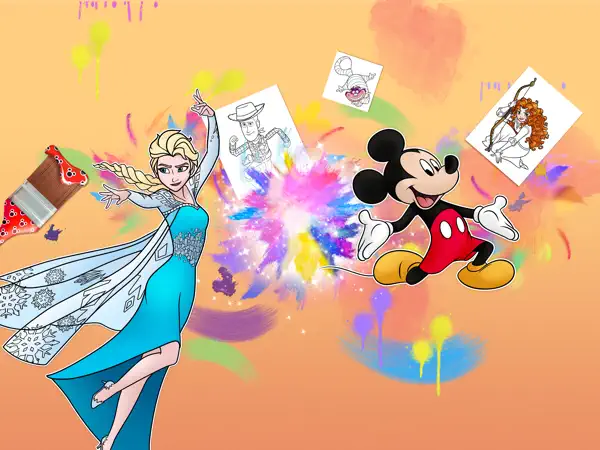
Disney Coloring World offers a magical and creative experience for children and fans of all ages, featuring beloved characters from Frozen, Disney Princesses, Mickey, Stitch, Pixar, Star Wars, Marvel, and more! With over 2,000 coloring pages, kids can use a variety of art tools like brushes, crayons, glitter, patterns, and stamps to bring their favorite characters to life. The Magic Color tool ensures perfect coloring, while interactive 3D playsets let kids play with their creations in enchanting scenes like Arendelle Castle. The app fosters creativity, fine motor skills, and confidence, providing a safe, ad-free environment compliant with COPPA. Regular updates add new content, and features like Apple Pencil support enhance the experience. Perfect for young artists to explore and create their own Disney magic!

Screenshot

Here are some screenshots of the game.

screenshot 0screenshot 1screenshot 2screenshot 3screenshot 4screenshot 5screenshot 6screenshot 7screenshot 8screenshot 9screenshot 10screenshot 11screenshot 12screenshot 13

Features

Walkthrough

Getting Started with Disney Coloring World

Launch the app and choose a character or scene to color from the vast library of over 2,000 pages. Select from tools like brushes, crayons, or the Magic Color tool for easy coloring. Once finished, your artwork becomes a sticker to use in interactive 3D playsets, where you can mix characters and scenes for endless fun. Explore new content added regularly, like the Summer Vacation pack with Stitch or the Frozen Cards pack!
Gameplays

Creative Play Modes

In Disney Coloring World, kids can color characters freehand or use the Magic Color tool for perfect results. After coloring, place your creations in 3D playsets like Arendelle Castle or Pride Rock, where you can mix characters from different Disney worlds, such as Simba in Frozen’s Ahtohallan. Dress up characters like Jasmine or Stitch in custom outfits, and decorate scenes with stickers and patterns for a personalized adventure.

Questions And Answers

Here are some possible questions and answers that you might find useful

    Questions And Answers

    Here are some possible questions and answers that you might find useful

    1. Q:Is Disney Coloring World safe for kids?

      A:Yes, the app is designed to be safe and age-appropriate, with no third-party ads and compliance with COPPA privacy laws. It fosters healthy digital habits for young users.

    2. Q:Can I use the app offline?

      A:Yes, you can play pre-downloaded content offline without wifi or internet, making it great for travel or areas with limited connectivity.

    Games that you may also like to play

    If you are looking for more games to play, we have some suggestions for you. Based on your gaming history and preferences, we have selected some games that are similar to the ones you enjoy. These games offer you fun and engaging experiences that suit your taste. You can find the list of games that you may also like to play below.

    1. Farming Simulator 20+
    2. Crossy Road Castle
      Endless Co-op Platform Fun
    3. SUMI SUMI : Matching Puzzle+
      Enjoy with kawaii characters!
    4. Sesame Street Mecha Builders+
      Learn, play and save the day!
    5. Thomas & Friendsā„¢: Let's Roll+
      Drive trains and build tracks!
    6. LEGOĀ® DUPLOĀ® World+
      Fun educational games
    7. My Town Home - Family Games+
      Create fun Dollhouse Stories