cover

UNO: Arcade Edition™

Info, Guide, Walkthrough, Tips, Glitch, News

The classic card game returns with exciting multiplayer features.

Ratings

4.6

Age

4+

Category

Card

Languages

ENG
Dinsun

Dinsun Review

Apple Arcade review

68/100Dinsun Score
It's UNO without the pay-to-win fluff, but it's still just UNO.

Dinsun here. We’ve all played UNO. This 'Arcade Edition' is essentially a sanitized version of the mobile app we've had for years, now without the annoying pop-ups asking for gems. The interface is loud and colorful—maybe a bit too much for my taste—but the matchmaking is fast and the rules are exactly what you expect.

My gripe is that there’s no real 'new' reason to play this over a physical deck with friends, other than convenience. The 'arcade' flair is mostly just visual noise. It’s a functional way to play a classic game, and being on Apple Arcade means the competitive integrity isn't ruined by people buying power-ups. It’s a solid 7-out-of-10 card game that won't surprise anyone.

Overall Stats

gameplay7/10
narrative1/10
visuals6/10
audio6/10
performance8/10
fun7/10
mechanics7/10
story1/10
character1/10

Pros

  • No ads or in-app purchases
  • Cross-platform play
  • Reliable matchmaking

Cons

  • Art style is very 'busy'
  • Lacks significant new features
  • Predictable loop

Value

Apple Arcade Subscription

Playtime

N/A (Multiplayer)

Who will enjoy it?

Play if:You want to play UNO on the go without being nickel-and-dimed.

Skip if:You find the mobile game aesthetics annoying or prefer physical cards.

Similar Games

Skip-BoPhase 10Solitaire

Technical Notes

Occasional server-side lag during peak hours.

Accessibility Features

  • Colorblind Mode
  • Adjustable Card Sizes
Played on iPhone 15 Pro5 hours playedLevel 20
Reviewed by Dinsun on Mon Apr 13 2026
Play the world's most iconic card game in UNO: Arcade Edition™. Challenge friends or players worldwide in classic matches or use custom house rules for unpredictable fun.

Screenshot

Here are some screenshots of the game.

screenshot 0screenshot 1screenshot 2screenshot 3screenshot 4screenshot 5screenshot 6screenshot 7screenshot 8screenshot 9screenshot 10screenshot 11screenshot 12screenshot 13screenshot 14screenshot 15screenshot 16screenshot 17screenshot 18screenshot 19

Features

Walkthrough

Getting Started with UNO: Arcade Edition

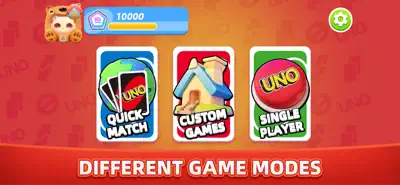
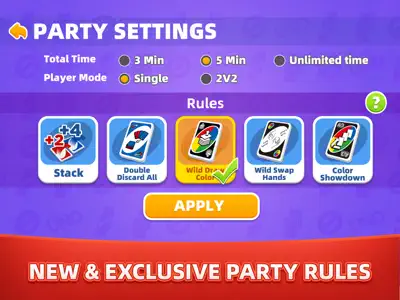
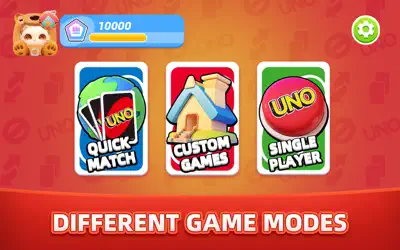
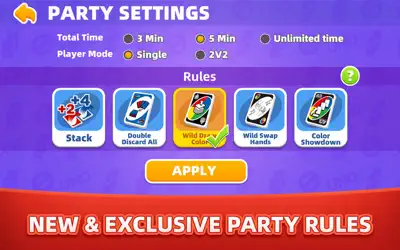
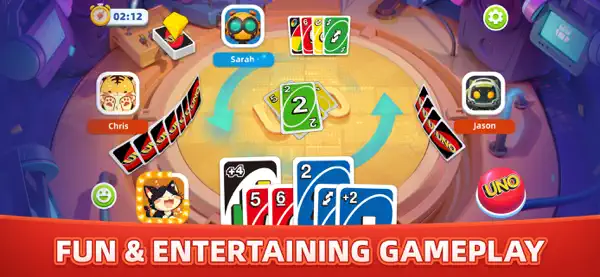
Launch the game and select your mode: Quick Match for online play, Custom Games to set your own rules, or Single Player for offline fun against AI. Match cards by color or number, use action cards strategically, and shout 'UNO!' when down to one card. Explore new rules like Wild Swap Hands to swap hands with another player or Color Showdown to challenge opponents to a color-based duel.

Mastering Customization and UNO Road

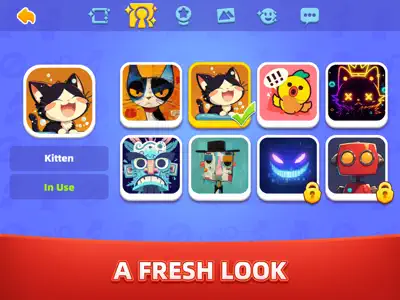
Personalize your profile with frames, emotes, and effects earned through UNO Road, a progression system where you complete achievements to unlock rewards. Experiment with custom rules in Party Mode to create unique gameplay experiences with friends.

Gameplays

Quick Match Mode

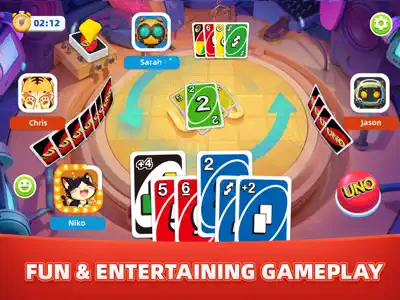
Jump into fast-paced online matches with players worldwide. Match cards quickly, use action cards like Skip or Reverse to outsmart opponents, and aim to empty your hand first. Perfect for competitive, short sessions.

Single Player Mode

Play offline against advanced AI opponents. Practice your strategies in a stress-free environment, using classic rules or new ones like Double Discard All to clear multiple cards at once. Ideal for solo play or honing your skills.

Questions And Answers

Here are some possible questions and answers that you might find useful

    Questions And Answers

    Here are some possible questions and answers that you might find useful

    1. Q:How do I unlock new customization items in UNO: Arcade Edition?

      A:You can unlock customization items like frames, emotes, and effects by progressing through UNO Road. Complete achievements in matches to earn points, which unlock rewards to personalize your in-game appearance.